
Introduction
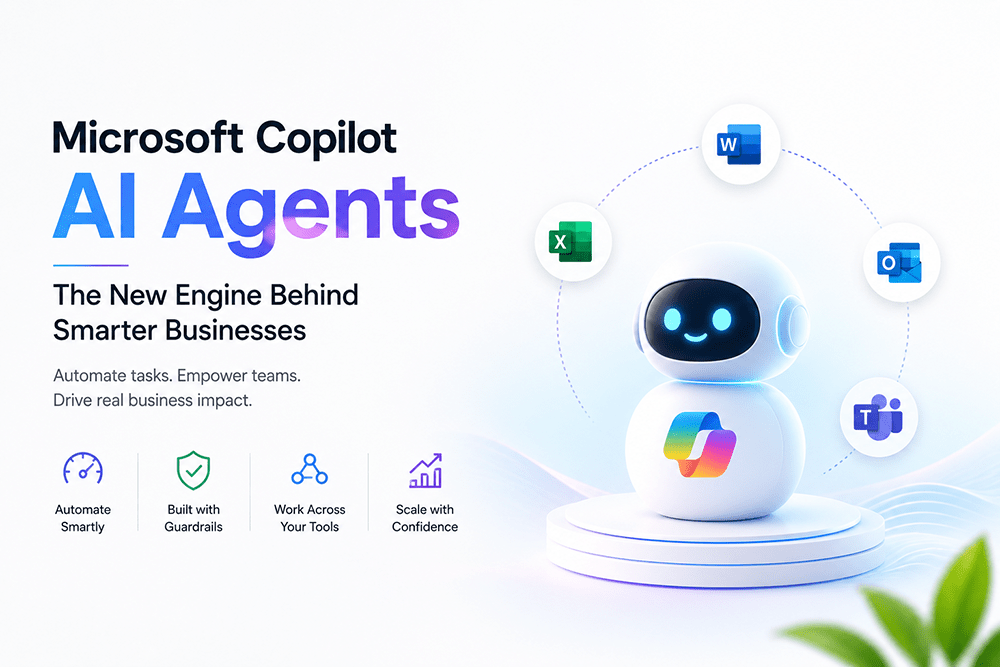
Imagine a team member who never gets tired, follows instructions exactly, and works around the clock without complaint. That is essentially what a Microsoft Copilot AI agent brings to a business. It is an AI-powered assistant built to complete specific business tasks on its own, using clear rules and defined boundaries.
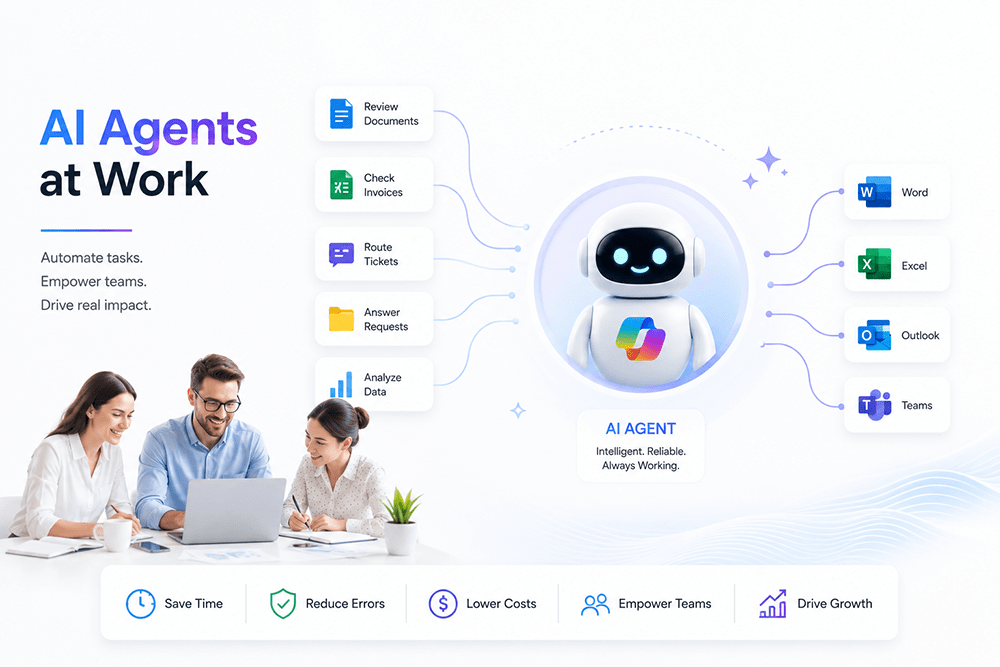
Unlike a simple chatbot that only answers questions, Copilot AI agents take real, multi-step action inside the tools your team already relies on, including Word, Excel, Outlook, and Teams. They can review documents, respond to requests, route tickets, and complete workflows, grounded in your actual business data.
For business owners and decision-makers, this represents a genuine shift in how work gets done. This article explains what Copilot AI agents actually do, why they matter for business growth, and how to bring them into your organization the right way.
Why It Matters for Your Business
Every business carries routine work that consumes time without adding much strategic value: sorting support tickets, checking invoices, summarizing reports, answering repeated internal questions. Copilot AI agents are purpose-built to absorb exactly this kind of work.
Microsoft has been rapidly expanding this ecosystem. Copilot Studio, the company’s low-code platform for building agents, has added governance controls, workflow automation, and computer-use capabilities that let agents operate directly within business applications. Alongside it, Microsoft Agent 365 gives IT teams visibility into how agents perform, what they cost to run, and how securely they operate.
This shift can matter at every stage of business growth. Startups may be able to run leaner without overextending small teams. Mid-sized companies may scale output without a matching rise in headcount. Larger enterprises can benefit from more consistent processes, since agents apply the same defined logic and guardrails each time, which can help reduce certain types of human error.
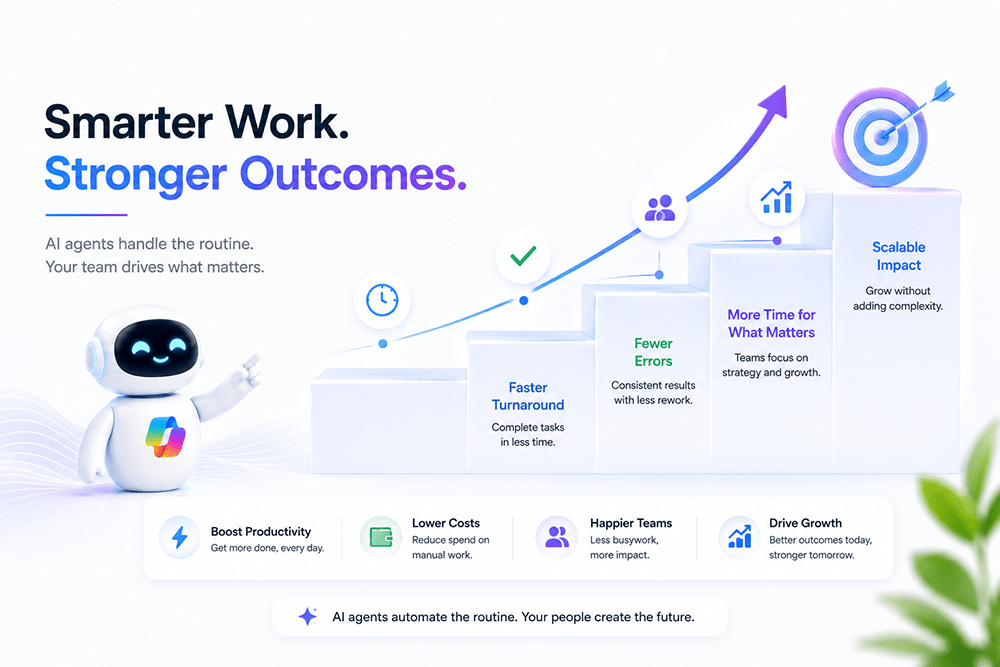
When implemented effectively, this can support faster turnaround on routine requests, fewer manual mistakes, lower operating costs in some areas, and more staff time for work that drives revenue. Actual results vary depending on the tasks automated and how well the deployment is planned and governed.
Key Benefits of Copilot AI Agents
- Faster task completion. Multi-step processes can often be completed more quickly than fully manual work, depending on complexity.
- Greater consistency. Clear rules and guardrails can help reduce variation and error in repetitive work.
- Potential cost efficiency. Automating routine tasks may reduce dependence on additional staffing in certain areas.
- Stronger employee focus. Teams may spend less time on tedious tasks and more time on strategic priorities.
- Governance support. Tools like Microsoft Agent 365 can give leadership more visibility and control as agent use grows.
- Scalability. Agents can generally extend across departments without rebuilding processes from the ground up, within the platform’s supported capabilities.
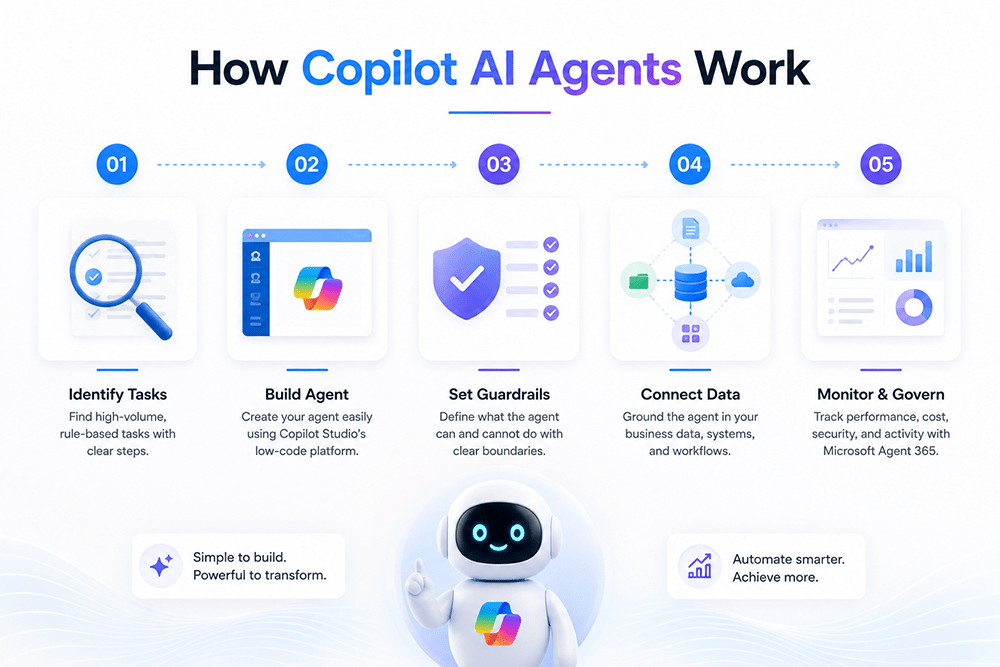
How Copilot AI Agents Work
Bringing Copilot AI agents into a business follows a clear, manageable process.
- Identify high-volume, rule-based tasks. Look for repetitive workflows with predictable steps, such as invoice checks, FAQ handling, or ticket routing.
- Build the agent in Copilot Studio. Microsoft’s low-code platform allows business teams to design agents without deep technical expertise.
- Set clear guardrails. Define precisely what the agent is allowed to do, and just as importantly, what it should not do.
- Ground the agent in real business data. Connect it to relevant documents, systems, and workflows so its output stays accurate and useful.
- Monitor performance with governance tools. Microsoft Agent 365 helps track agent activity, cost, and security across the organization as adoption grows.
Getting this process right from the start makes a real difference in adoption and results. A team offering dedicated Copilot AI agents services can help design, build, and govern agents correctly the first time.
Common Challenges and Solutions
- Challenge: Businesses are unsure which tasks to automate first. Solution: Start with high-volume, rule-based work like data entry, ticket triage, or FAQ handling before expanding to more complex processes.
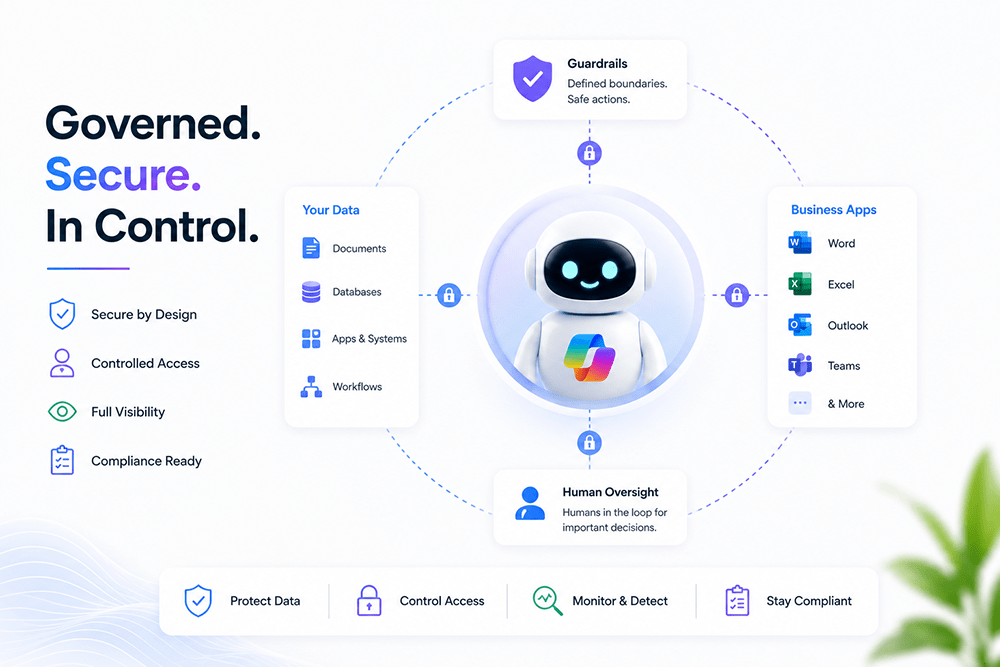
- Challenge: Agents are deployed without proper oversight, creating security or compliance risk. Solution: Apply governance tools from the start to track access, activity, and performance across every agent.
- Challenge: Poor integration between agents and existing business systems limits accuracy. Solution: Build on a solid technical foundation using Microsoft Power Platform services to connect data and workflows correctly.
- Challenge: No internal team with the capacity to manage rollout and adoption. Solution: Partner with a provider offering full Microsoft consulting services for planning, implementation, and ongoing support.
Best Practices and Tips
- Start with one or two well-scoped pilot agents before rolling out company-wide.
- Set firm boundaries so agents only act within clearly approved tasks.
- Keep humans in the loop for decisions that carry real business or compliance risk.
- Review agent performance regularly and refine instructions as needs change.
- Train employees to work alongside agents, treating them as capable teammates rather than replacements.
- Set measurable success metrics before scaling any agent deployment.
Results and Outcomes You Can Expect
Businesses that adopt Copilot AI agents thoughtfully may see improvements in task turnaround, error rates, and operating costs over time. As adoption matures, this can build into stronger overall productivity, better customer response times, and more staff capacity for strategic work. The scale and timeline of these outcomes depend on the complexity of the tasks automated, the quality of implementation, and how well the agents are governed and adopted.
FAQs
1. What exactly is a Copilot AI agent?
It is an AI-powered assistant built in Microsoft Copilot Studio to complete specific business tasks using clear instructions and guardrails.
2. How is it different from a regular chatbot?
A Copilot AI agent can take multi-step action inside business apps like Word, Excel, and Outlook, rather than only answering questions.
3. Do I need technical or coding expertise to build one?
Not necessarily. Copilot Studio is designed as a low-code platform accessible to business users, though technical guidance helps for complex use cases.
4. How is security and governance handled?
Microsoft provides tools like Microsoft Agent 365 to help track agent access, activity, cost, and compliance across an organization. Security also depends on how the organization configures permissions and oversight, since no system is completely secure on its own.
5. Which departments typically benefit first?
Departments with high volumes of repetitive, rule-based work, such as HR, IT support, and finance, often see measurable results sooner, though this depends on the specific tasks automated.
6. Can Copilot AI agents work across multiple Microsoft apps at once?
Yes. Agents can act across Word, Excel, Outlook, and Teams as part of a single connected workflow.
7. What is the risk of deploying agents without proper guardrails?
Agents without clear boundaries can take unintended actions, creating operational, security, or compliance risk.
8. Do Copilot AI agents replace human employees?
No. They handle routine, rule-based tasks, while employees remain responsible for judgment calls and higher-value decisions.
9. How often should agent performance be reviewed?
Regularly, especially in the first few months, to refine instructions and confirm output stays accurate and useful.
10. What is the best way for a business to get started?
Begin with a single, well-defined, high-volume task, then expand to additional agents once results are proven.
Expert Microsoft Solutions Support at WishMinds
Rolling out Copilot AI agents in a way that genuinely fits your operations takes careful planning, not guesswork. WishMinds Technologies is a Microsoft service agency that works with businesses on Power Platform and Copilot AI agent implementation.
Our team helps businesses plan, build, and govern AI agents that fit their real operations, rather than applying generic, one-size-fits-all templates. We focus on practical, measurable outcomes throughout the implementation process.
Whether you are exploring your first Copilot AI agent or planning a wider rollout across departments, our team can help you think through the approach. Book a consultation today with WishMinds and see how Copilot AI agents might fit into your business.
Final Thoughts
Microsoft Copilot AI agents represent a meaningful shift in how everyday business work gets done, from routine tasks to more complex, multi-step processes. Businesses that adopt them thoughtfully, with the right guardrails and support in place, may build a stronger operational position relative to competitors still relying entirely on manual work.
Ready to explore what Copilot AI agents could do for your business? Reach out to WishMinds Technologies and book your consultation today.