
Introduction
Data infrastructure is the foundation that every business decision, every analytics programme, and every AI investment runs on. When that foundation is fragmented, ageing, or inadequate for modern workloads, the consequences compound quietly until they become impossible to ignore.
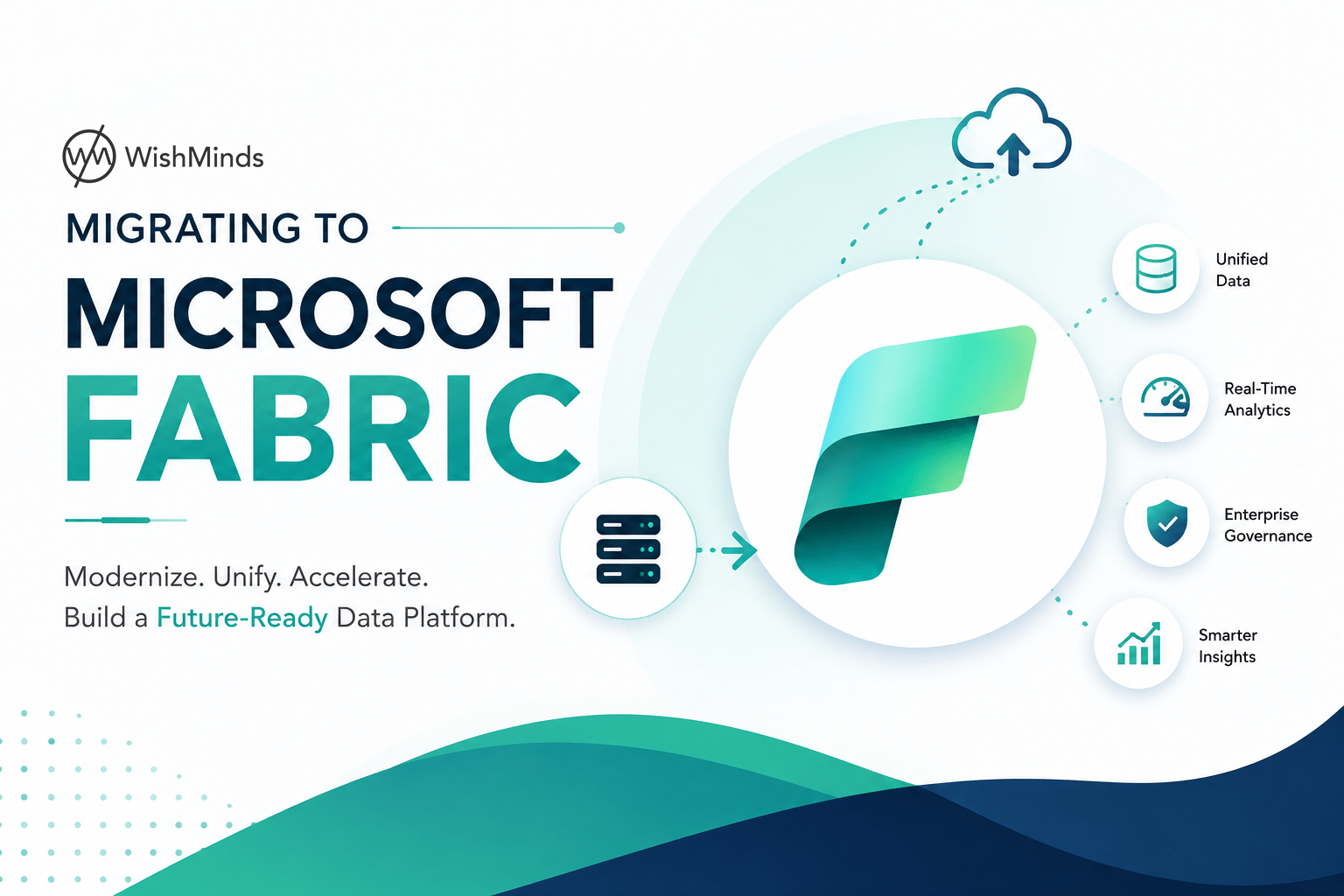
Migration to Microsoft Fabric is how forward-thinking organisations are addressing this challenge in 2026. Microsoft Fabric is a unified, cloud-native data platform that consolidates data engineering, data warehousing, data science, real-time analytics, and business intelligence into a single, integrated environment built on a shared storage layer called OneLake.
For organisations currently managing fragmented data stacks, maintaining aging on-premises infrastructure, or running a combination of cloud services that were never designed to work together, migrating to Microsoft Fabric represents one of the most significant infrastructure investments available. When planned and executed well, it eliminates the operational complexity of managing disconnected systems, provides a more capable foundation for analytics and AI, and creates the kind of platform that enables rather than constrains business growth.
This is the complete guide for organisations planning or evaluating a Fabric migration. It covers why organisations are making this move, what the platform delivers, how the migration process works at each stage, what the common challenges are and how to address them, and what to expect from the investment over time.
Why Organisations Are Migrating to Microsoft Fabric
Understanding the business and operational drivers behind Fabric migration helps clarify whether the same drivers apply to your organisation.
Fragmented Data Infrastructure Has Real Business Costs
Most organisations did not plan their current data estate. It grew incrementally over years as needs arose, tools were added, and systems were connected through increasingly complex integration layers.
A data warehouse built a decade ago. An ETL tool added to feed it. Cloud storage introduced as data volumes grew. Power BI connected across multiple source systems. Azure services layered on as cloud adoption accelerated. Machine learning tools connected to the same data through separate pipelines.
Each addition made sense at the time. The cumulative result is a data environment where significant engineering capacity is consumed by maintaining connections between tools that were never designed to work together. Data is duplicated across storage systems because each tool prefers to work with its own copy. Governance is fragmented because access controls, audit logs, and classification systems are separate in each tool. And delivering new analytical capabilities is slow because every new requirement requires new integration work before any value is produced.
The total cost of this complexity, measured in engineering hours, licensing across multiple platforms, infrastructure maintenance, and business agility lost, is often substantially higher than organisations realise until they conduct a thorough audit.
Modern Analytics and AI Require a More Capable Foundation
The data workloads organisations need to support in 2026 are fundamentally different from those that shaped legacy platform design decisions. Real-time analytics, large-scale machine learning, AI-assisted decision support, and advanced data science all require a platform capable of handling diverse, concurrent workloads efficiently on the same data without the overhead of moving it between systems.
Microsoft Fabric is designed for exactly this requirement. The shared OneLake storage layer means that the same data that feeds traditional reporting workloads is immediately accessible to data science and machine learning workloads without data movement or synchronisation. Fabric IQ capabilities bring AI assistance directly into data engineering and analytics workflows.
For organisations making significant AI investment, the quality and accessibility of the underlying data determines the reliability of AI outputs. Fragmented, poorly governed data produces unreliable AI regardless of the sophistication of the AI technology. Fabric provides the foundation that makes AI investment deliver.
Microsoft’s Strategic Direction Is Clear
Microsoft has made its platform direction explicit. Azure Synapse Analytics, the predecessor to Fabric, is receiving limited new feature investment while Fabric receives the bulk of Microsoft’s data platform development effort. For organisations operating on Synapse or other Azure data services, the strategic direction of the vendor is a relevant factor in long-term platform planning.
Similarly, for organisations with existing Microsoft enterprise agreements and Power BI investments, Fabric represents the natural evolution of those investments rather than a departure from them.
On-Premises Infrastructure Is Reaching Natural Transition Points
Organisations running data workloads on on-premises infrastructure are dealing with hardware refresh cycles, licensing renewals, and the growing cost and complexity of maintaining systems that were designed for a different computing era. These natural transition points create opportunities to migrate to cloud-native infrastructure rather than refreshing hardware that will face the same challenges in five years.
What Microsoft Fabric Delivers: Platform Components Explained
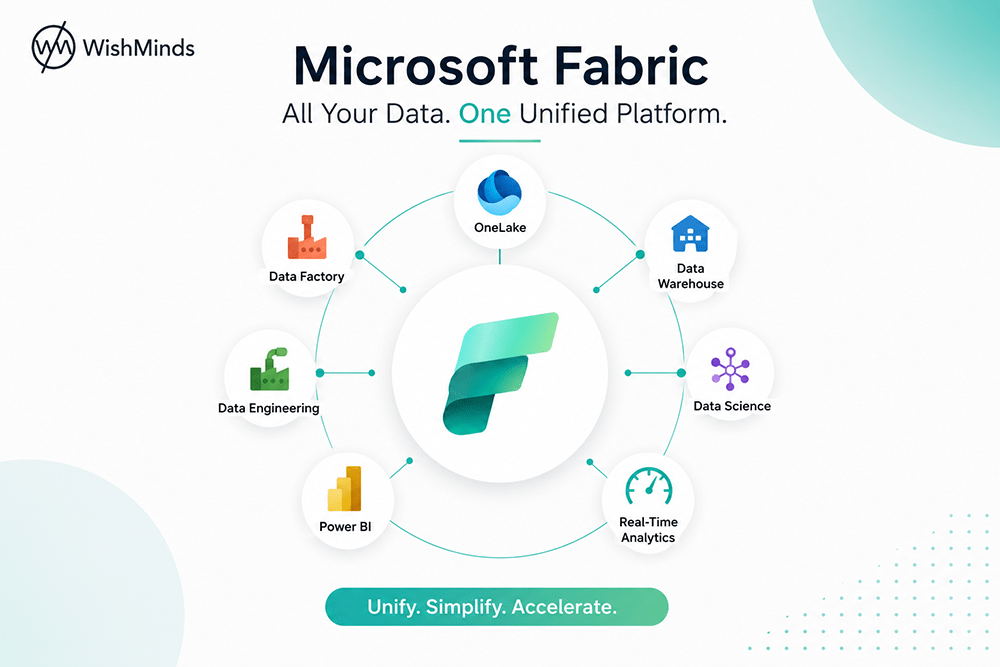
Understanding the components of Microsoft Fabric Services and how they relate to each other is essential for planning a migration that takes full advantage of the platform.
OneLake: The Unified Foundation
OneLake is the single storage layer that underpins all Microsoft Fabric workloads. Unlike traditional data stack architectures where each tool maintains its own data storage, all Fabric components read from and write to OneLake.
This architectural decision has profound practical implications. Data stored in OneLake is immediately accessible to all Fabric workloads without copying, moving, or synchronising. A dataset ingested through a Data Engineering pipeline is instantly available in the Data Warehouse, Data Science notebooks, and Power BI reports without any additional data movement.
OneLake uses Delta Lake format throughout. Delta provides ACID transactional consistency, time travel for point-in-time data access, schema enforcement, and efficient incremental processing. These capabilities are available across all Fabric workloads because they are inherent to the storage layer itself.
OneLake is organised hierarchically. At the top level are workspaces, which serve as organisational and access control boundaries. Within workspaces, lakehouses and warehouses provide different views and access patterns to the same underlying OneLake data.
Data Engineering
The Data Engineering workload provides the tools for ingesting, transforming, and preparing data within Fabric. It includes:
Lakehouse as the primary data engineering construct, providing a flexible environment for working with both structured and semi-structured data through Spark notebooks and SQL.
Spark Notebooks for Python, Scala, R, and SQL-based data processing and transformation. Spark in Fabric runs on a fully managed Spark service without the infrastructure management overhead of running your own Spark clusters.
Dataflows Gen2 for visual, low-code data transformation that allows data engineers and technically capable analysts to build transformation logic without writing code for appropriate use cases.
Data Pipelines for orchestrating data movement and transformation workflows, with a connector ecosystem that spans hundreds of data sources.
Data Warehouse
The Data Warehouse workload provides a fully managed, enterprise-grade SQL warehouse experience within Fabric. Unlike traditional data warehouses that maintain their own separate data storage, the Fabric Data Warehouse queries Delta tables in OneLake directly.
This means data processed through Data Engineering pipelines is immediately queryable through the warehouse without a separate loading step. The warehouse supports standard T-SQL with broad compatibility with existing SQL Server and Azure Synapse Analytics queries.
Data Science
The Data Science workload supports machine learning model development, training, and deployment within the same environment where the data lives. Data scientists can access data directly from OneLake through notebooks without requiring data extraction to a separate environment.
Fabric integrates with MLflow for experiment tracking, model registry, and deployment management. Models developed in Fabric can be applied to data in OneLake and their outputs stored back to OneLake for consumption by reporting and analytics workloads.
Real-Time Analytics
The Real-Time Analytics workload supports the ingestion, storage, and querying of streaming data. Eventstream ingests real-time data from event sources, and the KQL Database provides high-performance querying of time-series and streaming data.
For organisations that need real-time operational dashboards, alerting based on streaming data, or near-real-time analytics alongside historical batch workloads, Real-Time Analytics provides these capabilities within the same Fabric environment.
Power BI
Power BI is deeply integrated within Microsoft Fabric and represents the reporting and self-service analytics layer of the platform. Direct Lake connectivity allows Power BI to query Delta tables in OneLake at high performance without importing data into a separate Power BI dataset model.
Existing Power BI reports and semantic models can be migrated into Fabric workspaces and upgraded to Direct Lake connectivity where appropriate. The unified workspace model in Fabric means that Power BI content sits alongside the data assets it reports on in the same environment, with consistent access controls applied across both.
Microsoft Fabric IQ
Fabric IQ is the collective term for AI and Copilot capabilities embedded throughout Fabric’s workloads. It includes natural language interaction with data, AI-assisted code generation in notebooks and the data warehouse, automated insight surfacing in Power BI, and Copilot assistance across data engineering workflows.
For organisations that want to begin leveraging AI within their data platform, Fabric IQ provides accessible AI capabilities within the environment where the data already lives, without requiring a separate AI infrastructure investment.
The Migration Process: A Complete Phase-by-Phase Guide
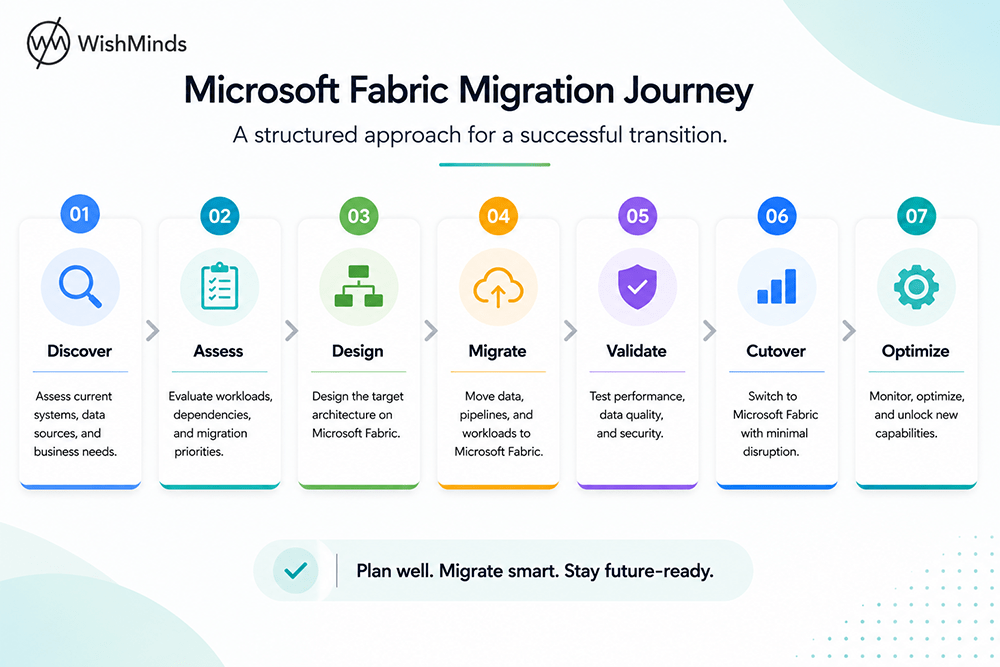
A migration to Microsoft Fabric is a structured programme with distinct phases. Each phase has specific objectives, deliverables, and quality gates before proceeding. The overall programme may span weeks to many months depending on the complexity of the source environment and the scope of the migration.
Phase 1: Discovery and Assessment
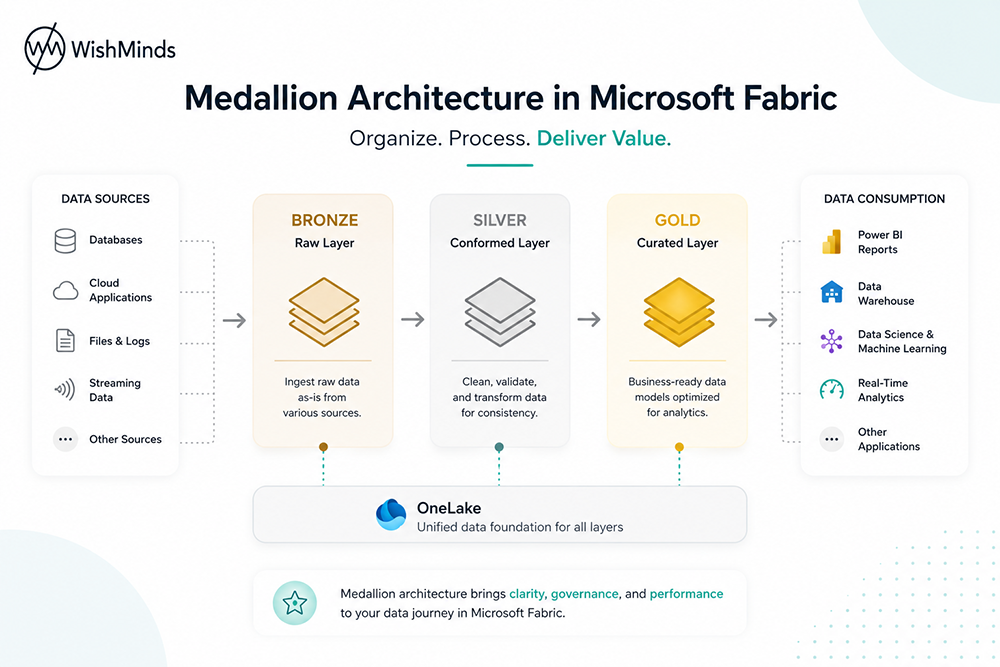
Discovery is the most important phase of any migration and the one most commonly underinvested in.
What discovery involves:
Inventorying all data sources connected to the current platform, including their volumes, refresh frequencies, and the teams that own and depend on them.
Cataloguing all data pipelines and ETL processes, including their inputs, outputs, transformation logic, scheduling, and dependencies on other pipelines.
Identifying all Power BI reports and datasets, their data sources, usage patterns, and business owners.
Mapping downstream consumers of the platform, including business users, automated processes, application integrations, and external data sharing arrangements.
Assessing the data quality of key datasets, including known quality issues, validation rules currently applied, and quality measurements available.
Reviewing the current governance posture, including access control models, data classification status, and compliance requirements relevant to migrated data.
The outputs of discovery:
A complete migration inventory that becomes the basis for scoping and planning the migration.
A complexity assessment rating for each inventory item that drives prioritisation and effort estimation.
A dependency map showing which items depend on which others, enabling correct migration sequencing.
An identification of risks, including poorly documented processes, tribal knowledge dependencies, and data quality issues that will need to be addressed during migration.
Common discovery mistakes:
Relying on existing documentation rather than querying source systems directly. Documentation is frequently outdated and incomplete.
Involving only technical teams in discovery without input from business stakeholders who know what the data is used for and what constraints apply.
Underestimating the time required for thorough discovery in complex environments.
Phase 2: Migration Architecture Design
With a complete picture of the current environment, the target Fabric architecture can be designed.
Workspace and collection structure
Microsoft Fabric organises workloads within workspaces. The workspace structure determines access control boundaries, capacity allocation, and the logical organisation of data assets. Common structuring approaches include organising by functional domain, by environment tier (development, test, production), or by a combination of both.
Collection structures within workspaces should be defined before migration begins to provide a consistent, navigable organisation for migrated assets.
Medallion architecture design
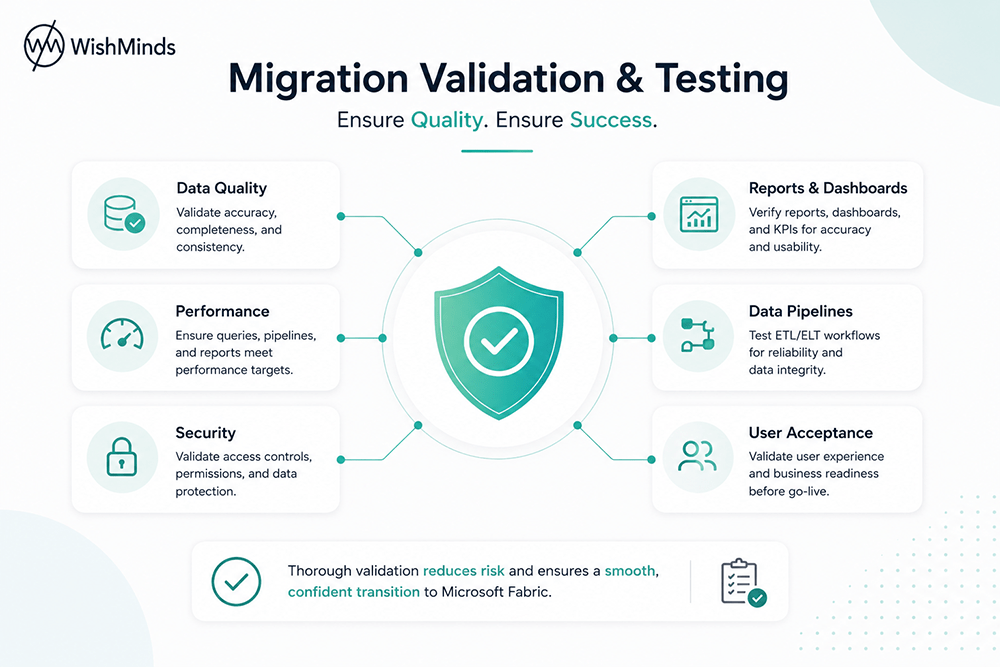
The medallion architecture pattern is the recommended approach for structuring data within Microsoft Fabric. It organises data into three progressive layers:
Bronze layers receive raw data from source systems in its original format with no transformation. This layer serves as the system of record for all incoming data and enables reprocessing from the original state if transformation logic needs to change.
Silver layers contain cleaned, conformed, and integrated data. Transformation, validation, deduplication, and cross-source integration happens here. The Silver layer is the foundation for most downstream analytics consumption.
Gold layers contain business-ready data models designed for specific reporting and analytics use cases. They are shaped around business concepts rather than source system structures and are optimised for query performance and business user consumption.
For organisations migrating from a traditional data warehouse, existing warehouse schemas typically map to Gold layer constructs, while ETL processes feeding the warehouse map to Silver layer transformations.
Delta table and storage planning
All data in Fabric should be stored in Delta Lake format. Delta provides ACID transactions, time travel, schema enforcement, and efficient incremental processing. Migration planning should include the conversion of source data formats to Delta as part of the migration process.
Capacity planning
Fabric runs on capacity units. Appropriate capacity sizing requires understanding the processing workloads, query concurrency, and Power BI rendering requirements of migrated workloads. Undersizing causes performance issues. Oversizing causes unnecessary cost. Running representative workloads against a trial capacity before committing to a production capacity tier provides more reliable sizing information than estimates based on source system specifications.
Governance architecture
Microsoft Purview governance should be designed as part of the migration architecture rather than added after migration. This includes defining the Data Map scanning configuration for Fabric workloads, sensitivity classification taxonomy, lineage capture configuration from Fabric pipelines, and access policy design.
Phase 3: Environment Setup and Connectivity
Before migrating any data, the Fabric environment needs to be established, secured, and connected.
Setting up workspaces with appropriate capacity assignments. Configuring Microsoft Entra ID integration for identity and access management. Establishing network connectivity between Fabric and source systems, including virtual network integration where required. Connecting Microsoft Purview for governance scanning. Configuring self-hosted integration runtimes for on-premises source connectivity where applicable.
Completing environment setup before data migration begins ensures that migrated data lands in a correctly configured environment rather than requiring remediation of security or governance configuration after data has been moved.
Phase 4: Data and Pipeline Migration
The technical migration is typically the most time-consuming phase, particularly for complex environments with large numbers of pipelines and data sources.
Data migration to OneLake
The approach to moving historical data from source systems to OneLake depends on the source environment, data volumes, and network connectivity available.
For Azure-based sources, Fabric Data Pipelines or Azure Data Factory can move data directly into OneLake efficiently.
For large-scale historical data migrations where network-based transfer would be prohibitively slow, Azure Data Box provides bulk data transfer capabilities.
For on-premises sources, self-hosted integration runtimes establish secure connectivity for data movement.
Historical data is typically landed in the Bronze layer first in its original format. Silver and Gold layer processing is implemented through pipelines that run against the Bronze data rather than during the initial data landing.
Pipeline migration
Pipeline migration complexity depends heavily on the source tooling.
Azure Data Factory pipelines share conceptual similarity with Fabric Data Pipelines and many activities can be recreated directly, though not every Data Factory feature has a direct Fabric equivalent and each pipeline should be reviewed rather than assumed to be compatible.
SSIS packages do not have a direct migration path to Fabric. The transformation logic they implement needs to be rebuilt in Fabric-appropriate tooling, typically Dataflows Gen2 or Spark notebooks depending on the complexity of the logic involved.
Custom ETL processes built in third-party tools need to be reimplemented in Fabric tooling based on the nature of the processing they perform.
Power BI content migration
Power BI reports and semantic models can be migrated into Fabric workspaces using available migration tooling. Connection strings for reports connected to Azure Synapse or SQL data sources need to be updated to point to Fabric Warehouse or Lakehouse sources. Evaluation of upgrade to Direct Lake connectivity is advisable for reports where the underlying data model is stored in OneLake.
Phase 5: Validation and Testing
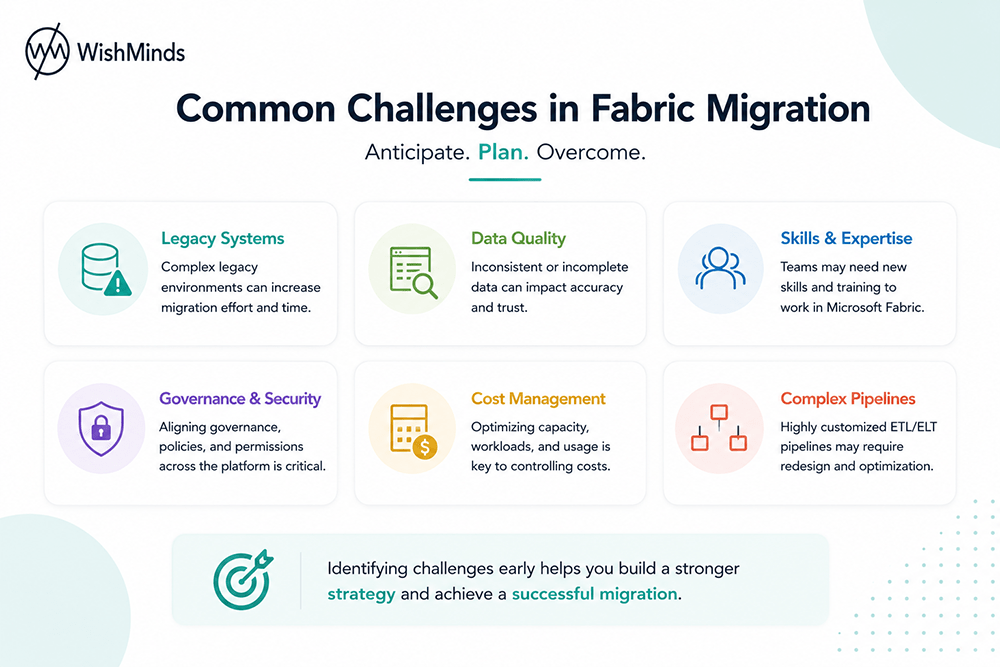
Systematic validation is the quality gate before any migrated component enters production use.
Data completeness validation confirms that all expected records from source systems are present in Fabric through row count comparisons and partition-level verification.
Data accuracy validation compares values between source and migrated data to confirm transformation logic produces correct results. Statistical sampling with targeted checks on business-critical fields provides confidence at manageable cost for large tables.
Pipeline behaviour validation runs migrated pipelines against test data and compares outputs to expected results from the legacy pipeline.
Performance validation runs representative query workloads against the Fabric environment and compares performance to baseline measurements from the source platform. Performance issues identified here are resolved before cutover rather than discovered in production.
Report validation confirms that Power BI reports in Fabric show data values consistent with the legacy platform versions. Visual spot-checking combined with programmatic comparison of key metric values across representative time periods is a practical approach.
User acceptance validation involves downstream business users confirming that migrated reports and data meet their requirements before cutover.
Phase 6: Cutover and Transition
The cutover phase transitions production use from the legacy platform to Microsoft Fabric.
A workload-by-workload approach to cutover reduces risk by concentrating the validation and transition effort on one domain at a time before proceeding to the next.
For each workload being cut over, the legacy system and Fabric run in parallel for a defined period to provide a fallback and enable comparison of outputs in production conditions. The length of parallel running depends on workload criticality and confidence from validation.
User communication and training are coordinated with technical cutover to ensure downstream users are prepared for any changes in how they access or interact with data.
Legacy systems are decommissioned only after the parallel running period concludes without significant issues and after data retention requirements for historical data have been satisfied.
Phase 7: Post-Migration Optimisation
Migration completion is not the end of the programme. Post-migration optimisation improves the efficiency and performance of the Fabric environment based on observed production behaviour.
Common post-migration optimisation activities include Delta table compaction and optimise operations to improve query performance, capacity right-sizing based on actual production consumption patterns, pipeline scheduling adjustments to avoid resource contention, and query optimisation for slow-running reports identified in production.
Common Migration Challenges and How to Address Them
Inadequate Discovery
The most common root cause of migration problems is inadequate discovery. Pipelines that are more complex than initially apparent, undocumented data sources, and dependency chains that were not mapped all create scope surprises that extend timelines and increase cost.
Addressing this means allocating sufficient time and resources to discovery, involving both technical and business stakeholders, and querying source systems directly rather than relying on existing documentation.
Data Quality Issues Surfacing During Migration
Migration frequently surfaces data quality issues that have been masked by downstream pipeline logic or reporting layers for years. These issues are real and need to be addressed, but they are also an opportunity to establish better quality standards in the target environment than existed in the source.
Building data quality remediation into the migration plan from the start, rather than treating discovered quality issues as a blocking surprise, produces better outcomes.
Stakeholder Alignment
Migration projects driven purely by IT teams without business stakeholder engagement frequently deliver technically correct migrations that do not meet actual business needs. Involving analytics and business teams in requirements validation, migration sequencing decisions, and user acceptance testing ensures the migrated environment serves the business effectively.
Skills Gaps
Microsoft Fabric is a relatively new platform. Most data teams have limited hands-on Fabric experience at the start of a migration. A combination of targeted team training and engagement of experienced Microsoft Consulting Services partners addresses this without requiring the entire migration to be delivered externally.
Parallel Running Cost Management
Running both platforms simultaneously during transition incurs cost for both environments. Defining the expected parallel running period for each workload during planning, and having a clear process for ending parallel running once confidence is established, keeps these costs controlled.
Best Practices for a Successful Migration
- Invest adequately in discovery before starting technical work.
- Adopt the medallion architecture from the beginning of migration design.
- Use Delta tables throughout the Fabric environment.
- Migrate workloads incrementally rather than all at once.
- Validate thoroughly before every cutover.
- Integrate governance tooling from the start.
- Involve business stakeholders in validation, not just technical teams.
- Plan for parallel running costs in migration budget.
- Document architecture decisions and their rationale for future maintainers.
- Size capacity based on measured requirements rather than assumptions.
- Plan post-migration optimisation as a programme phase, not an afterthought.
What to Expect at Each Stage
During discovery: A clearer picture of your data environment than you probably currently have, including some uncomfortable discoveries about undocumented pipelines and data quality issues.
During architecture design and setup: A well-structured target environment that reflects both technical best practice and your organisation’s specific governance and organisational requirements.
During data and pipeline migration: Incremental progress with each workload, along with the validation effort that confirms migrated components are working correctly before business users are transitioned.
During cutover and parallel running: A controlled transition period with a fallback available if issues arise, followed by the gradual decommission of legacy infrastructure as confidence grows.
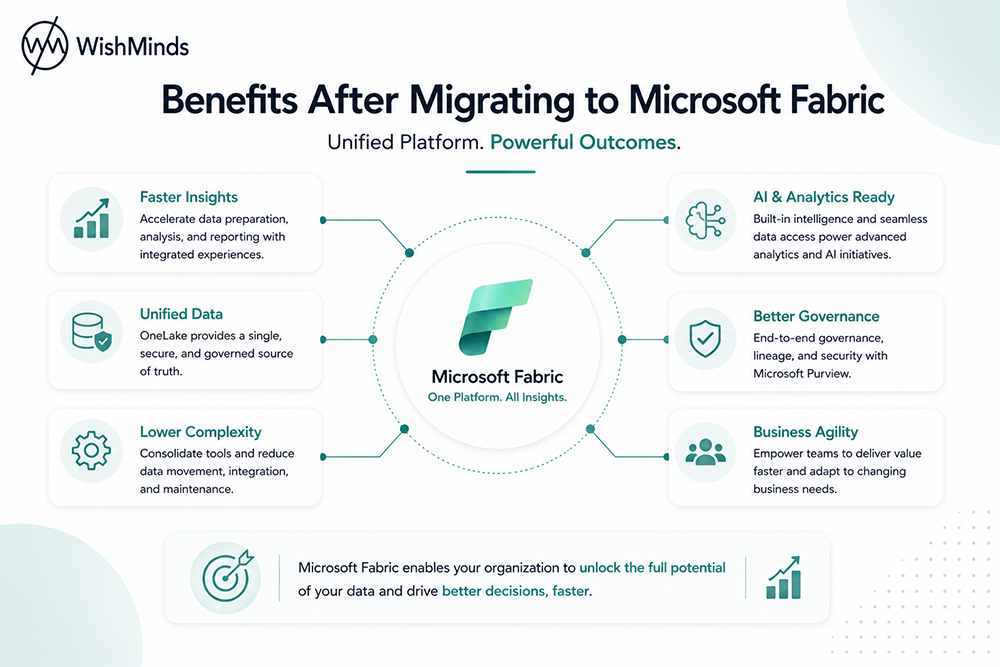
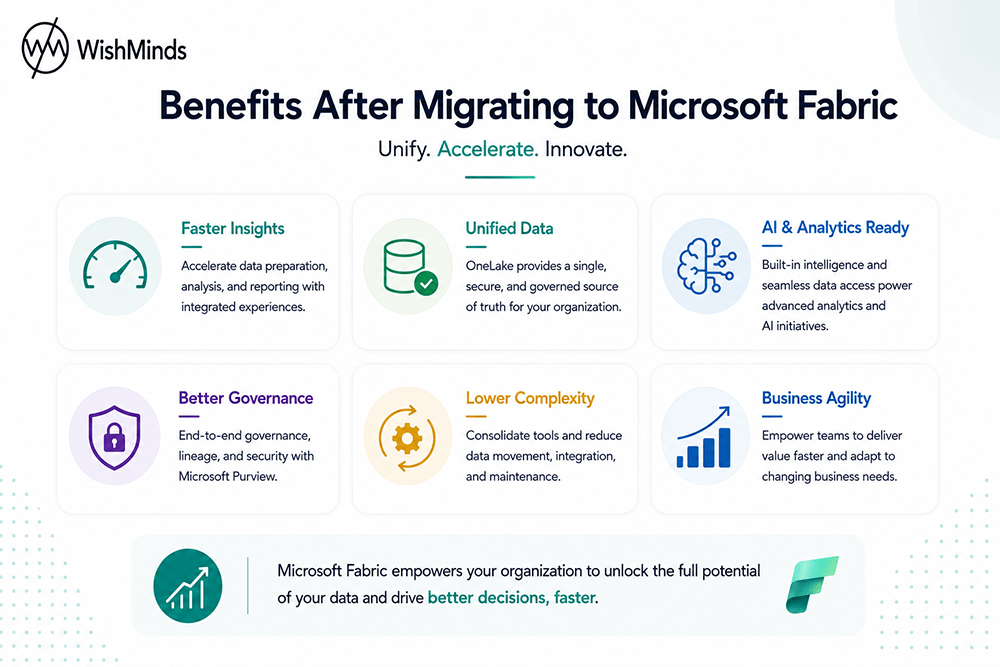
After migration: A more capable, more maintainable, and more governable data platform that enables rather than constrains business analytics and AI ambitions. Engineering time shifts from infrastructure maintenance toward capability development. Report performance improves. New analytical capabilities are delivered faster.
Expert Microsoft Fabric Migration Support at WishMinds
Migrating to Microsoft Fabric is one of the most significant data infrastructure investments your organisation will make. Getting the planning right, executing each phase with appropriate rigour, and maintaining business continuity throughout the transition requires both technical expertise and programme management discipline.
WishMinds is a specialist Microsoft Service Agency with deep expertise in Microsoft Fabric, Azure, and the broader Microsoft data ecosystem. Our Microsoft Consulting Services team has delivered Fabric migrations from a range of source environments including Azure Synapse Analytics, SQL Server, Azure Data Factory, Databricks, and multi-platform legacy data stacks.
We provide end-to-end migration support covering:
- Initial discovery, inventory, and complexity assessment
- Migration architecture design and Fabric environment setup
- Data and pipeline migration execution
- Validation and testing programmes
- Cutover coordination and parallel running management
- Post-migration optimisation and ongoing platform support
Our approach is grounded in your specific environment and business requirements rather than a generic migration playbook. We bring the Fabric-specific expertise to navigate the technical decisions that determine migration quality, and the commercial awareness to ensure the investment delivers the outcomes your business needs.
Whether you are in the early stages of evaluating migration, ready to start planning, or seeking experienced support for a migration already underway, WishMinds brings the depth of experience to support you effectively.
Book a consultation today with WishMinds and take the first step toward a Microsoft Fabric migration that is planned correctly, executed well, and built to deliver long-term value for your organisation.
Frequently Asked Questions
1. What is Microsoft Fabric and why migrate to it?
Microsoft Fabric is a unified, cloud-native data platform that combines data engineering, warehousing, data science, real-time analytics, and Power BI in a single integrated environment built on a shared storage layer called OneLake. Organisations migrate to consolidate fragmented data stacks, modernise aging infrastructure, build a more capable foundation for analytics and AI, and reduce the operational complexity and cost of managing multiple disconnected tools.
2. How long does a Fabric migration typically take?
Timelines vary significantly based on the complexity of the source environment, the number of data sources and pipelines involved, and the scope of the migration programme. A focused migration of a specific data domain can be completed in weeks. A comprehensive enterprise migration from a complex, multi-platform environment is a programme of many months delivered in phased workload releases. WishMinds can provide a realistic timeline estimate after a discovery assessment of your specific environment.
3. What is OneLake and why is it important for migration?
OneLake is Fabric’s unified storage layer shared across all Fabric workloads. It eliminates the need to copy data between separate tool-specific storage systems. During migration, data is moved from source systems into OneLake where it becomes immediately accessible to all Fabric components without further data movement.
4. What is the medallion architecture and should we adopt it during migration?
The medallion architecture organises data into Bronze (raw), Silver (cleaned and transformed), and Gold (business-ready) layers. It is the recommended structural approach for data in Microsoft Fabric, providing a clear, maintainable framework with good governance and analytics performance characteristics. Adopting it during migration is significantly easier than retrofitting it to a Fabric environment built without it.
5. Can we migrate from Azure Synapse Analytics to Fabric?
Yes, and Microsoft provides specific guidance and tooling for this migration path. However, Synapse and Fabric are different platforms with different architectures. SQL queries, stored procedures, and pipeline logic from Synapse require review and often adjustment rather than direct migration. WishMinds has experience with Synapse to Fabric migrations and can assess the specific complexity of your Synapse environment.
6. What happens to our Power BI investment during migration?
Power BI is deeply integrated within Microsoft Fabric. Existing Power BI reports and datasets are migrated into Fabric workspaces where they continue to operate and can be upgraded to Direct Lake connectivity for improved performance. Your Power BI investment is preserved and typically enhanced during migration.
7. Do we need to stop development on our current platform while migrating?
Not necessarily, though coordination is needed. Ongoing development and migration can proceed concurrently with clear scope boundaries defined between migration work and ongoing legacy development. WishMinds helps organisations define these boundaries to avoid conflicts.
8. How do we handle data governance during migration?
Establishing Microsoft Purview governance as part of the migration rather than after it produces significantly better governance coverage. This includes configuring Data Map scanning for Fabric workloads, setting up sensitivity classification, enabling lineage capture from Fabric pipelines, and defining access policies from the beginning of the Fabric build.
9. How does Fabric licensing work and what will it cost?
Fabric is licensed on a capacity basis. Capacity costs depend on the size tier selected and the region of deployment. For organisations with existing Microsoft enterprise agreements, Fabric entitlements may already be included or available at preferential pricing. A licensing assessment as part of migration planning provides a realistic cost picture based on your actual workload requirements.
10. What is the parallel running period and why is it important?
The parallel running period is the time after technical cutover during which both the legacy platform and Fabric operate in production simultaneously. It provides a fallback if issues emerge post-cutover and allows production comparison of legacy and migrated outputs to confirm correctness. Its length depends on workload criticality and confidence from validation. Skipping parallel running reduces short-term cost but increases the risk of undiscovered issues affecting production operations.
11. Can we migrate non-Microsoft data sources to Fabric?
Yes. Fabric’s connector ecosystem covers a wide range of non-Microsoft platforms including AWS S3, Google Cloud Storage, Oracle, SAP, Salesforce, Teradata, Databricks, and Snowflake, among others. Data from these sources can be ingested into OneLake and governed through the same Purview framework as Microsoft data sources.
12. How does WishMinds support organisations throughout the migration?
WishMinds provides end-to-end migration support from initial discovery through post-migration optimisation. Our team works alongside yours at each phase, bringing Fabric-specific expertise and migration programme experience. We tailor our engagement model to your team’s existing capabilities, providing more intensive support where needed and stepping back where your team has strong capability in place.
Build the Data Platform Your Business Deserves
Your current data infrastructure reflects the decisions that made sense when they were made. The question is whether it is still the right platform for where your business is going.
For organisations that are ready to move forward, Microsoft Fabric provides the unified, capable, and governable platform that modern analytics and AI investment demands. And WishMinds provides the expertise to migrate to it in a way that is planned correctly, executed with rigour, and built to deliver lasting value.
Book a consultation with WishMinds today and take the first practical step toward a Microsoft Fabric environment that enables your business to do more with its data.